





Screening
Strangers wait at the door
The first time someone writes to you, their message is held in a screening queue, not your inbox. Accept the humans, block the noise. Decisions sync through your account, so a sender you accept at your desk is already accepted on your phone.
- Held, not deleted. Screened mail is fully readable while it waits.
- Lookalike domains flagged. paypa1.com does not get to look like PayPal.
- No notifications for strangers. Only accepted senders can interrupt you.
Illustration for your launch?
Hi! I saw the linen.email teaser and I do editorial illustration. A few samples attached, in case…
One decision per sender, remembered on every device.
Reading & replying
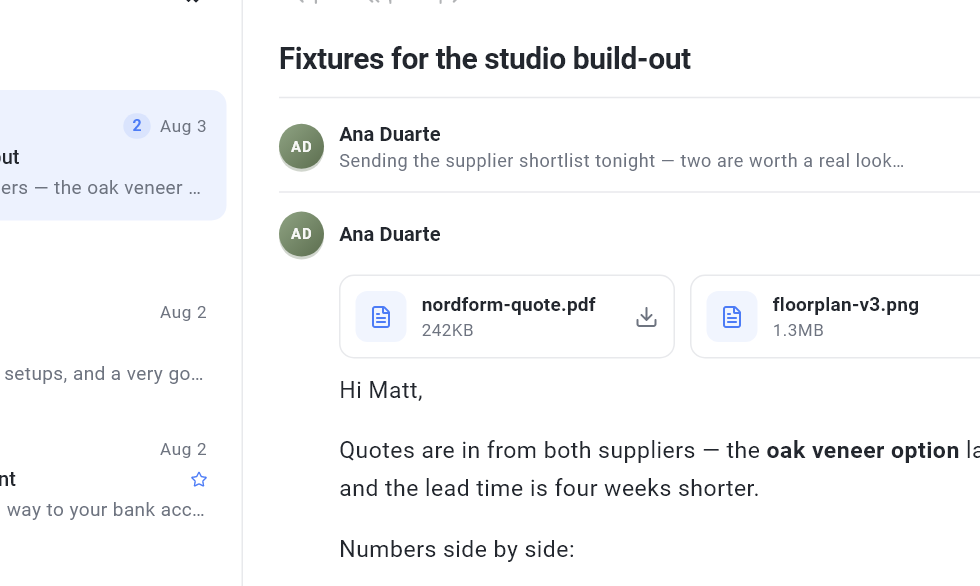
The thread on one quiet sheet
A conversation reads top to bottom on a single pane: attachments within reach, remote images stripped of trackers, and a reply field already waiting at the end. Search runs against the local index, so it works on a plane.
AI, kept simple
The whole of it fits in one menu
No chat window, no prompts to engineer. Pick an action beside your draft (improve, summarize, add a TL;DR) or write your own in a single sentence with New action. The result streams in beside your words, you keep what's good, and nothing sends itself.
- Ask
- One action from a short menu, or your own one-sentence instruction.
- Read
- Only the text you chose travels: trackers stripped, zero-data-retention routing, never training data.
- Run
- Included credits, your own key, or a local model on your machine. Same menu either way.
Hey Sam, so basically just following up on the thing from last week because I know things got busy and it slipped, totally fine, but the invoice deadline is Friday and I still need the signed copy back from your side before we can send it out, so if you could get to that it would be great. Thanks!!
Hi Sam,
Quick nudge on last week's contract. I still need the signed copy before the invoice goes out on Friday. Could you send it back by Thursday?
Thanks!
Rewritten beside your words. Keep it, edit it, or run it again. Nothing sends itself.
Scripted preview. No AI ran on this page.
Also in the box
Unified inbox
A Gmail, a Microsoft 365, and a self-hosted IMAP box, side by side and behaving identically.
Conversation threads
A thread is one row and one quiet sheet, with proper headers so replies land where they should.
Offline outbox
Send on a plane. Mail parks in the outbox and goes out on the next connection.
HTML signatures
Per account, with a live preview, applied at send time.
Attachments
Receive, preview, and send on all three protocols. No surprises at 25 MB.
Tracker stripping
Remote images are cleaned before they render. Senders learn nothing about your reading.
It's not about answering faster.
It's about reading in peace.
The reward
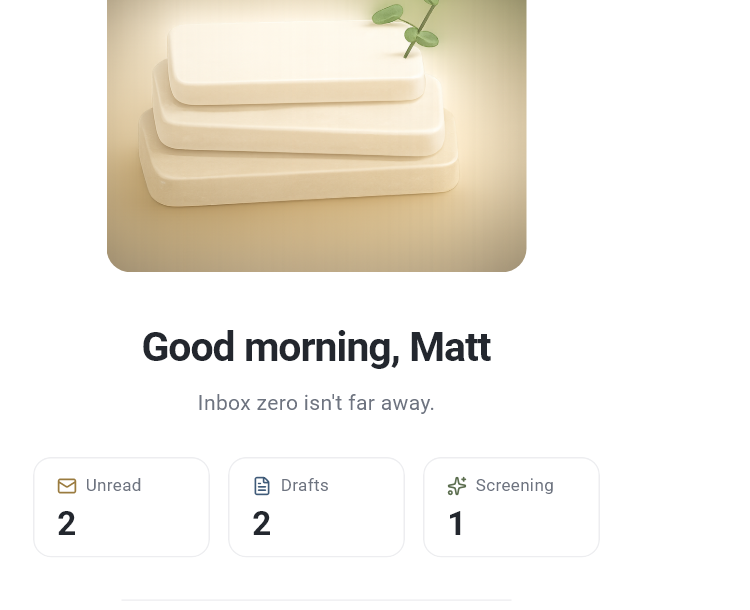
An empty inbox greets you back
When nothing is selected, Linen doesn't show you an empty list. It says good evening, counts what's actually waiting, and leaves you alone. Inbox zero is a place you visit, not a chore you chase.
- 0 bytes of your mail on our servers
- 5 platforms from one codebase
- 12 words to set up a new device
- 100% readable offline
Meetings
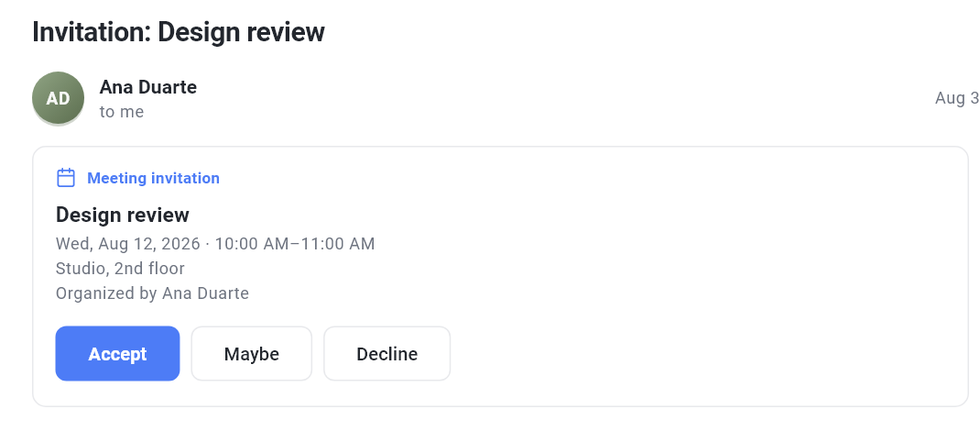
Answer an invitation without leaving the message
An invite arrives as mail, so Linen reads it where it lands. The time, the place, and who called it sit above the message, with three buttons under them. No calendar tab, no second app, no attachment to open.
- One tap replies. Accept, maybe, or decline goes straight back to the organizer.
- Every mailbox. Gmail, Microsoft 365, and plain IMAP all answer the same way.
- Cancellations are obvious. A called-off meeting says so instead of asking you to RSVP.
- An agenda, not a second account. The Calendar tab lists what is coming, read from the invitations already in your mail.
Under the hood
- Mail sync
- Gmail API, Microsoft Graph, and IMAP/SMTP. Incremental sync with cursor recovery when a provider expires its history, so a stale device catches up cleanly instead of duplicating your mailbox. Recent mail arrives first so the inbox opens straight away, and the rest of the archive loads when you ask for it rather than stopping at a few dozen messages.
- Storage
- Messages live in a database on your device, never on our servers. From version 0.1.3 that database is encrypted with SQLCipher, and mail stored by an earlier version is converted the first time 0.1.3 opens it; before 0.1.3 it was stored unencrypted. The key is generated on the device and held by the operating system: Keychain on Apple platforms, Credential Manager on Windows, Keystore on Android, Secret Service on Linux. An attachment you open is downloaded then and saved as an ordinary, unencrypted file so other apps can open it.
- Who holds the keys
- The app is the mail client, not our servers. It connects to Gmail, Microsoft, or your IMAP host directly, and the credentials stay in your device's keystore. We are not in the path, which is why we cannot read your mailbox even if we are asked to.
- Offline
- Reading, search, and composing work without a connection. Sent mail parks in an outbox and goes out on the next sync. If our servers disappear tomorrow, your mail still opens.
- The ordinary things
- Snooze, send later, and rules that file new mail as it arrives. A Subscriptions screen groups everything sending you a mailing list, loudest first, and leaves a whole selection at once rather than one message at a time. Senders that leave are screened out too, because lists take days to act and some never do.
- AI, on request
- Improve a draft, summarize a thread, pull out action items. Runs only when you ask, on only the text you selected, over zero-data-retention routing. Nothing is used for training.
- Bring your own model
- Use the included credits, or plug in your own OpenAI, Anthropic, or OpenRouter key. Prefer nothing leaving the machine at all? Point it at local models through Ollama.
- Multi-device setup
- Set up on your laptop, then sign in on your phone and enter your 12-word phrase: your mailboxes come back without reconnecting each one. The phrase encrypts those credentials on your device, so we hold ciphertext and could not restore them ourselves. Lose the phrase and nothing is lost, you just reconnect your accounts.
One client, five platforms
Mac, Windows, Linux, iPhone, and Android, from one codebase, with the same shortcuts and the same screening queue. Settings and signatures travel with your account. Your mailbox never does; each device syncs its own copy directly from your provider.
Multiple accounts sit side by side in one unified inbox: a Gmail, a Microsoft 365, and a self-hosted IMAP box behave identically.
Pro
Early-access price, kept for as long as you stay subscribed. $10/month after launch.
- The full client on all five platforms
- 300 AI credits included every month
- Bring your own key, or run local models
- Screening synced across devices
- Local mail storage, encrypted from version 0.1.3
Billed monthly through Stripe or PayPal, whichever you prefer. Cancel anytime from settings; your mail is on your device either way.
Privacy, in plain words
Your mail syncs directly between your device and your mail provider, whether that is Gmail, Microsoft 365, or any IMAP service. The app holds the keys to your mailbox; we never receive them. That is a stronger promise than an encrypted database, because it is not a policy we could quietly change: we have no technical ability to read your mail from our servers. Ours handle your subscription, your AI credits, and your screening preferences.
AI features send content to a model only when you ask, and only the text you selected, stripped of trackers and unnecessary headers, over zero-data-retention routing. Prefer your own AI account or a local model? Both are first-class. Nothing is ever used for training.
Write back soon.
Get early access · $5/month